Acronytor

Turn large documents into editable acronym lists.

DCAA Defense Contract Audit Agency

Acronytor is available for Windows: start a 7-day trial, download the setup file, and activate with the same subscription email.

  • 7-day trial, then $199/year per machine seat
  • Compare acronyms against a known definition list
  • Review an editable table before final handoff

Best fit

Useful when document cleanup is the work.

Acronytor is for proposal managers, technical writers, and teams dealing with long documents where acronym lists are tedious to assemble and easy to miss.

Technical writing
Start from extracted terms instead of a blank acronym list.
Proposal support
Review definitions before a customer-facing handoff.
Document hygiene
Use the table as a working aid; review terms before final handoff.

How it works

A small tool for a narrow document job.

Scan

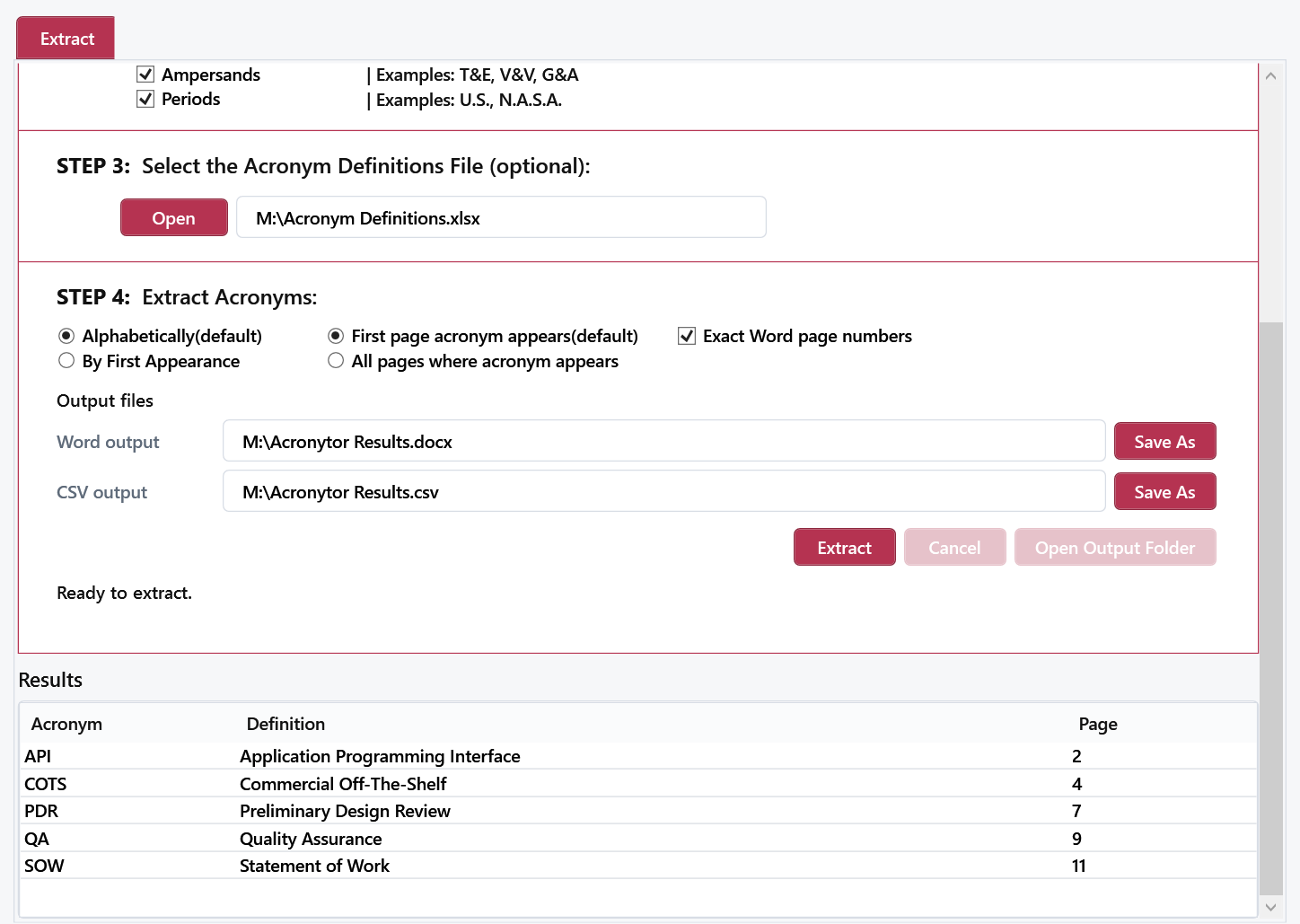
Find likely acronyms across a large document without a page-by-page manual pass.

Match

Compare detected acronyms with definitions from a preferred master list.

Review

Use the editable table to confirm terms, definitions, and page references.

Windows trial pricing

$199 / year / machine seat

Start with a 7-day Stripe trial. Cancel anytime before the trial ends and you will not be charged.

  • One machine seat covers one active Windows computer.
  • Subscription activation uses the email entered at checkout.
  • Device management and lost-device recovery are built into the licensing flow.
  • Single Windows setup download with SHA256 verification.

Install

Start the trial, install the desktop app, activate the license.

1

Start the trial

Use Stripe Checkout to start the 7-day trial and choose the machine-seat quantity. Manage or cancel the trial in the Stripe Customer Portal.

2

Download Acronytor

Download the single Windows setup executable from the Cabuz licensing host.

3

Install and activate

Run the setup file, then open Acronytor and activate with the subscription email used during checkout.

Common questions

What to know before starting Acronytor.

What happens during the 7-day trial?

Stripe creates a trial subscription and the Acronytor licensing service enables desktop activation for the subscription email. Cancel before the 7-day trial ends and Stripe will not charge the annual subscription.

How do I cancel?

Use the Stripe Customer Portal to manage or cancel the trial. If you cannot access the portal, contact Cabuz support before the trial ends.

How many seats do I need?

Each machine seat covers one active Windows computer. Buy the quantity that matches the number of computers that need to run Acronytor.

How does license activation work?

After checkout, open Acronytor on Windows and activate with the same email used for the Stripe subscription. Acronytor stores a signed offline lease so the app can continue working between license refreshes.

Does Acronytor require Microsoft Word or Excel?

A supported Microsoft Word desktop install is recommended for exact Word page-number fidelity and legacy DOC handling. Optional definitions workbooks should include a Master worksheet with acronyms in column A and definitions in column B.

Will Windows show an install warning?

The current setup file is unsigned, so Windows may show an unknown-publisher warning. The SHA256 checksum lets you verify that the downloaded file matches the Cabuz-hosted installer.

Where do I get help?

Use Cabuz support for install, activation, device recovery, or trial questions.

Acronytor for Windows

Start the trial and run the desktop app on Windows.

Use the 7-day trial to test installation, activation, and a real document pass before annual billing begins. Cancel before the trial ends for no charge.