Find coverage gaps
Surface missing, expired, and unmatched coverage before a floor check or labor review.
Cabuz Workforce
Cabuz Workforce connects labor authorizations, approvals, and timekeeping data so your team can catch missing or expired coverage before a floor check or labor review.
How it works
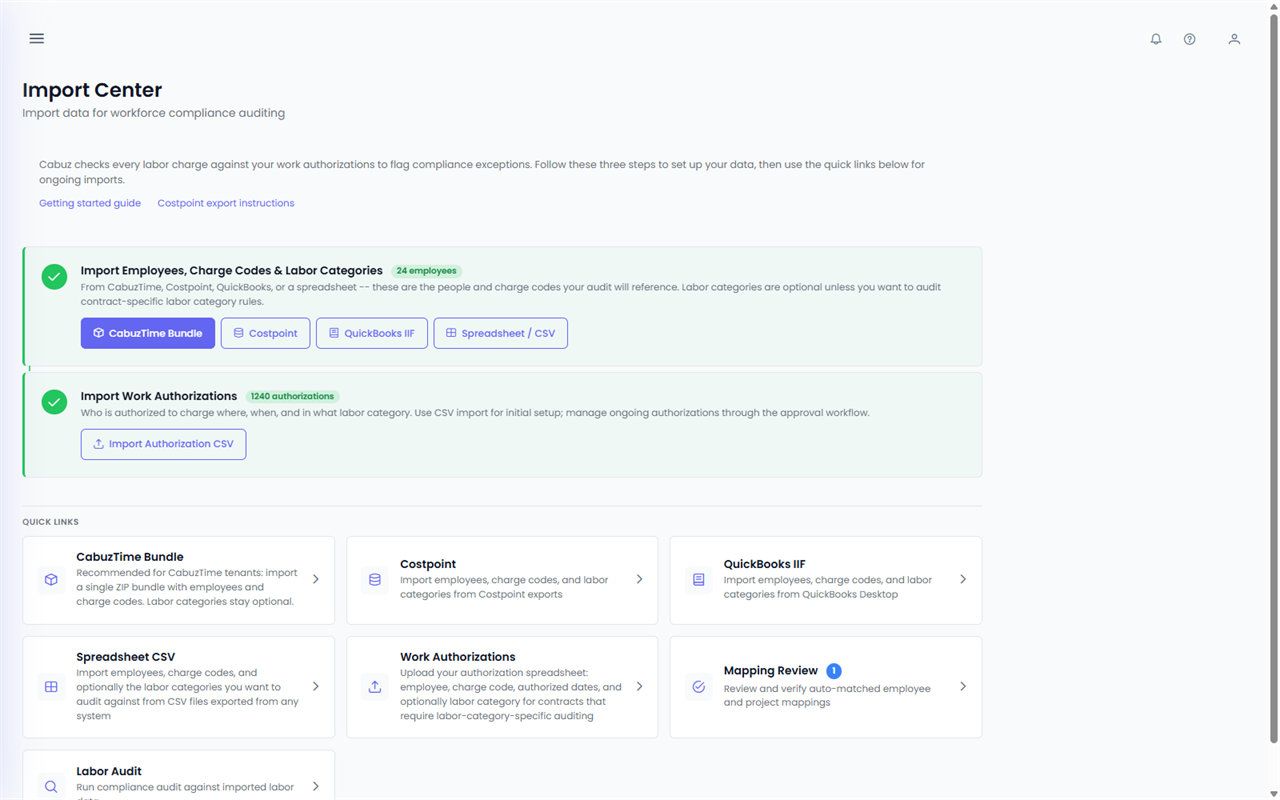
Step 1 · Bring in your data
Import from CabuzTime, Costpoint, or CSV. Add existing authorizations from a spreadsheet, or create them directly in Workforce.
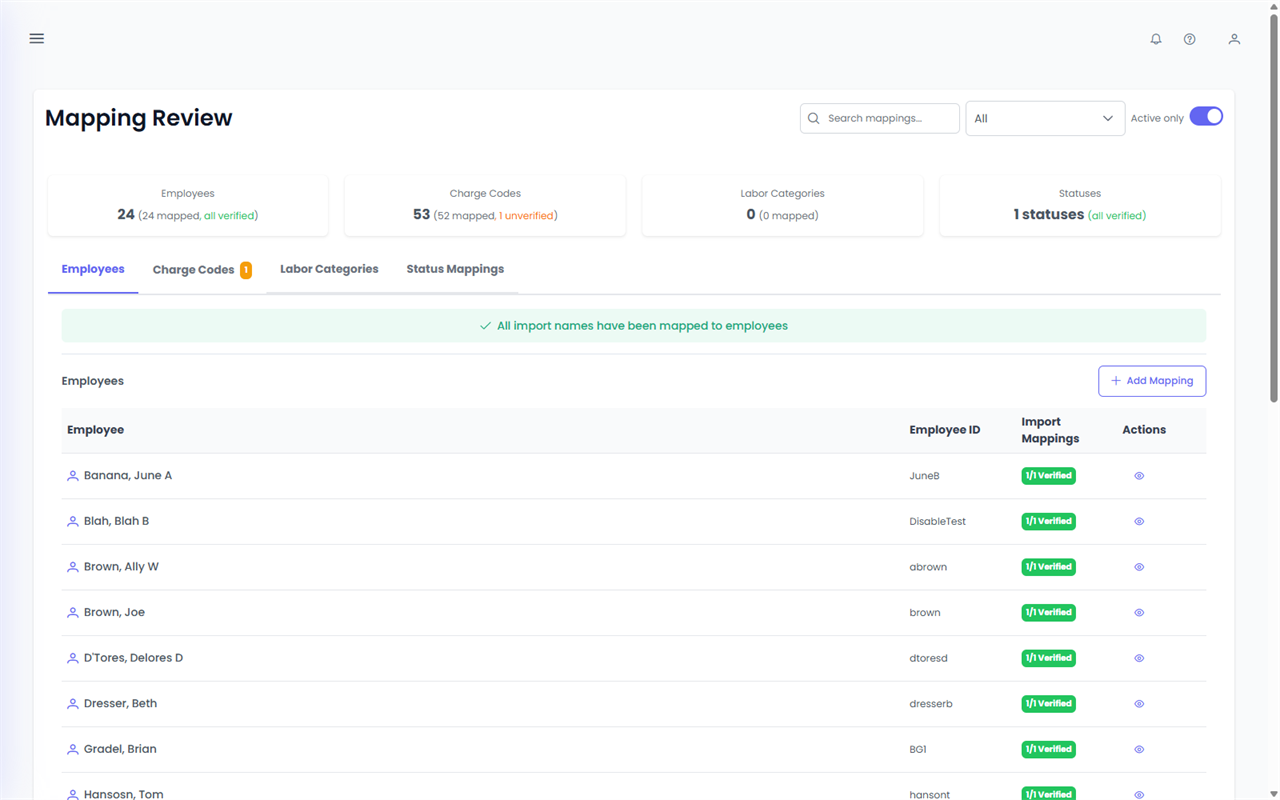
Step 2 · Confirm
Workforce connects employees, charge codes, and labor categories to your authorization records. Confirm suggested matches or adjust them before the records become active.
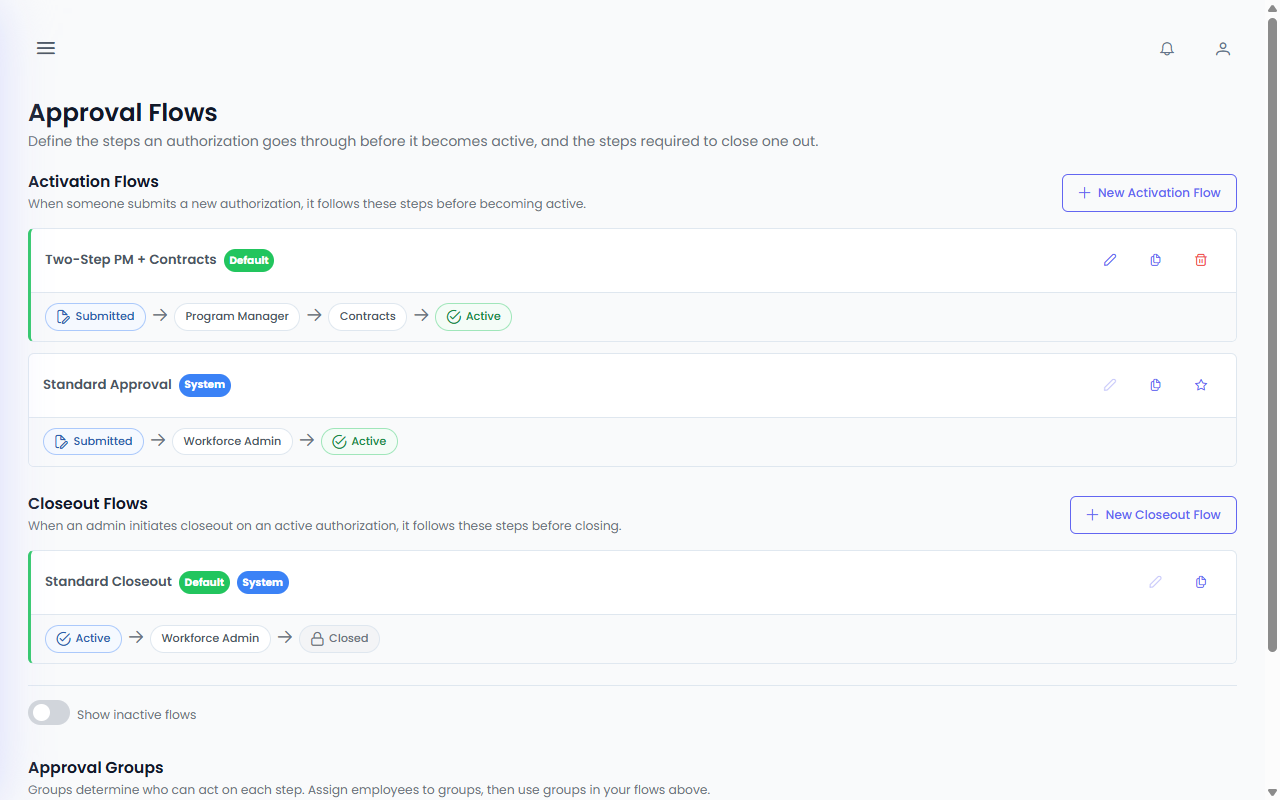
Step 3 · Approve
Set the approval path and assign responsibility at each step, including separate activation and closeout routes when needed.
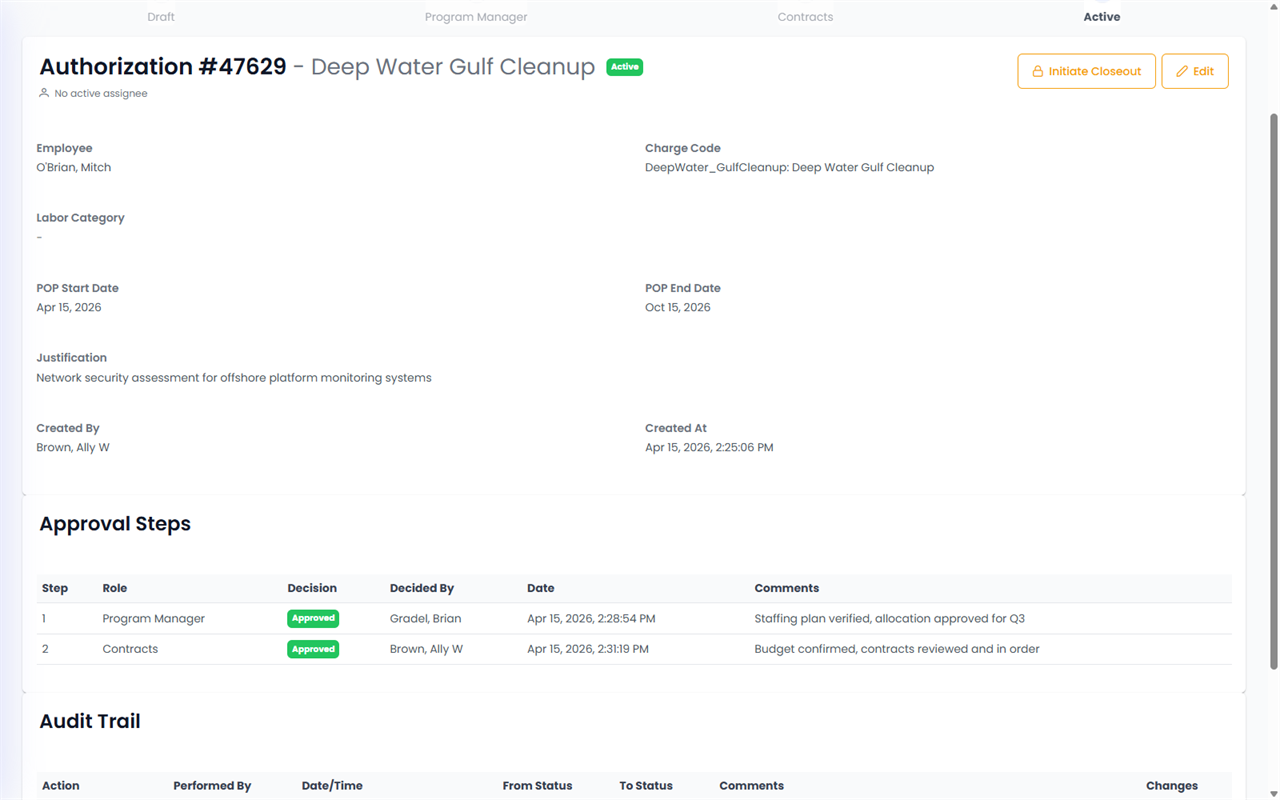
Step 4 · Track
See where an authorization stands, what changed, and why. Every approval, comment, status change, and closeout note stays attached to the record.
Step 5 · Review
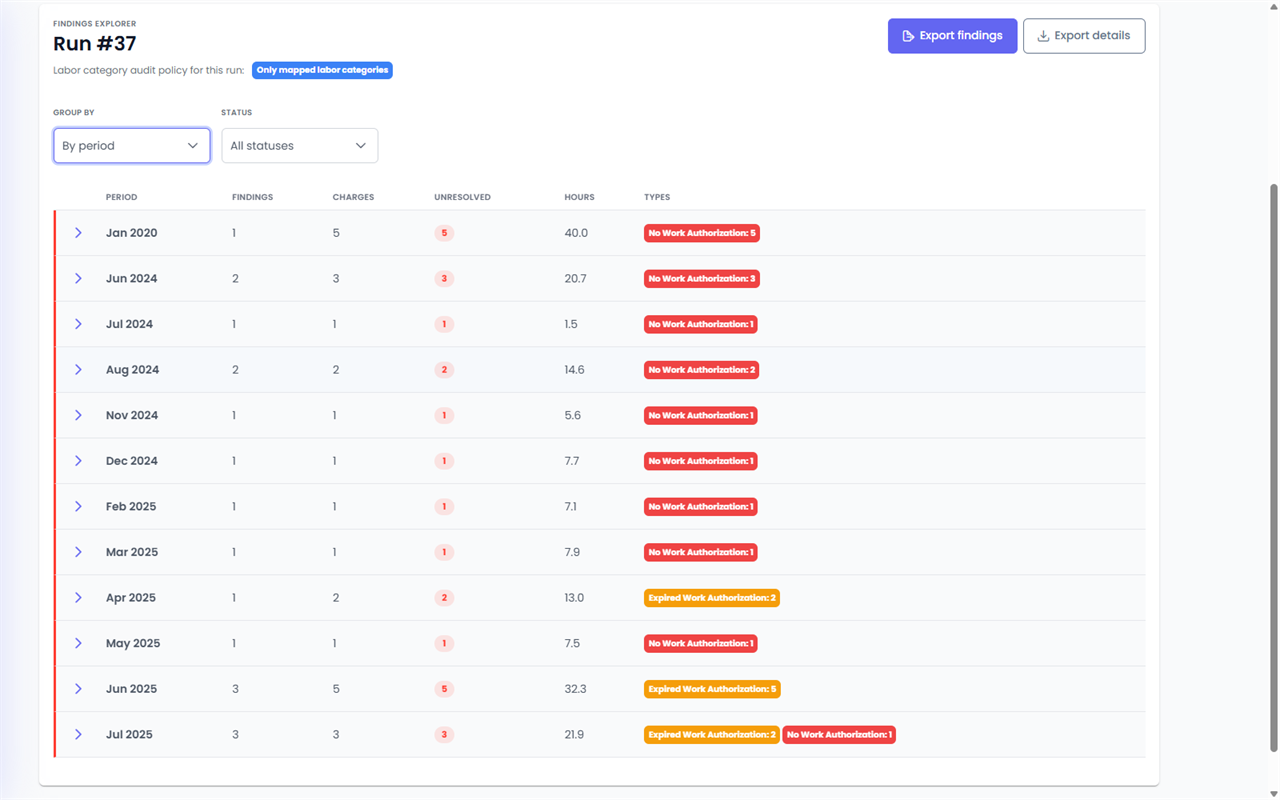
See missing, expired, and unmatched coverage in one place, with the details needed to resolve each item.
Core capabilities
Surface missing, expired, and unmatched coverage before a floor check or labor review.
Track who can charge which project, for what dates, and who approved it, in one place instead of spreadsheets and email.
Route approvals through defined steps. Every status change, comment, and action stays attached to the authorization.
Export authorization records, approval history, and findings for contracts, finance, and labor reviews.
Simple, transparent pricing
$2 / active employee / month
Billed monthly. Subscription Terms apply.
Review the current Subscription Terms and Privacy Policy.
Common questions
No. Your timekeeping system records hours. Workforce keeps the authorization, approval history, and coverage dates behind those hours.
Import your timekeeping data and current authorization records, confirm the matches, and begin working from a reviewed authorization list. You can also create new authorizations directly in Workforce.
Workforce includes imports for CabuzTime and Costpoint and supports CSV files from other systems.
Billing is based on active employees rather than the number of administrators. You can review the active employee count in Workforce before each billing cycle.
Ready to get started?